Reading practice with the exact split-screen layout of the real exam.
Passage and questions side by side, a resizable divider, and every one of the 16 official Reading question types — scored the instant a student submits.
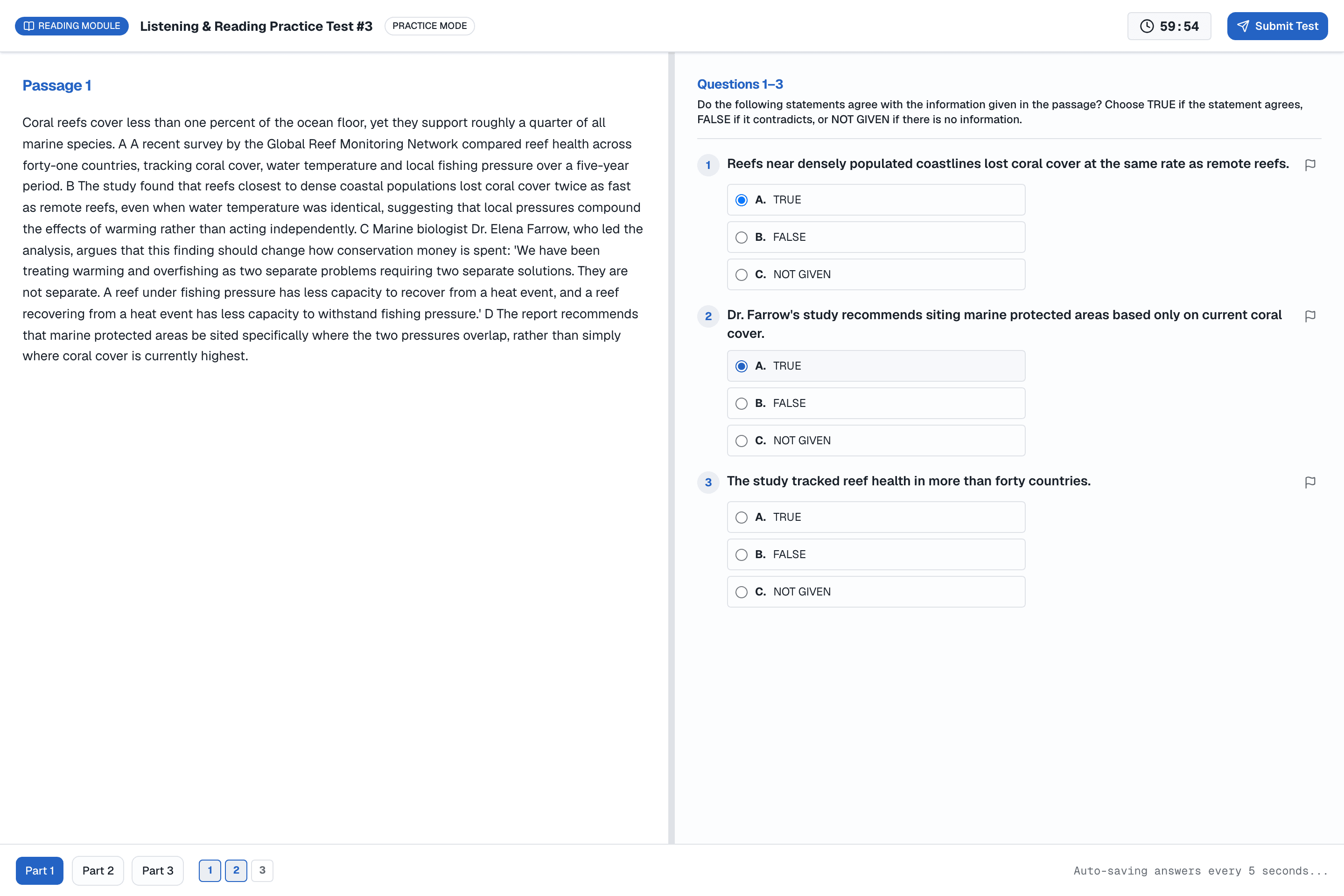
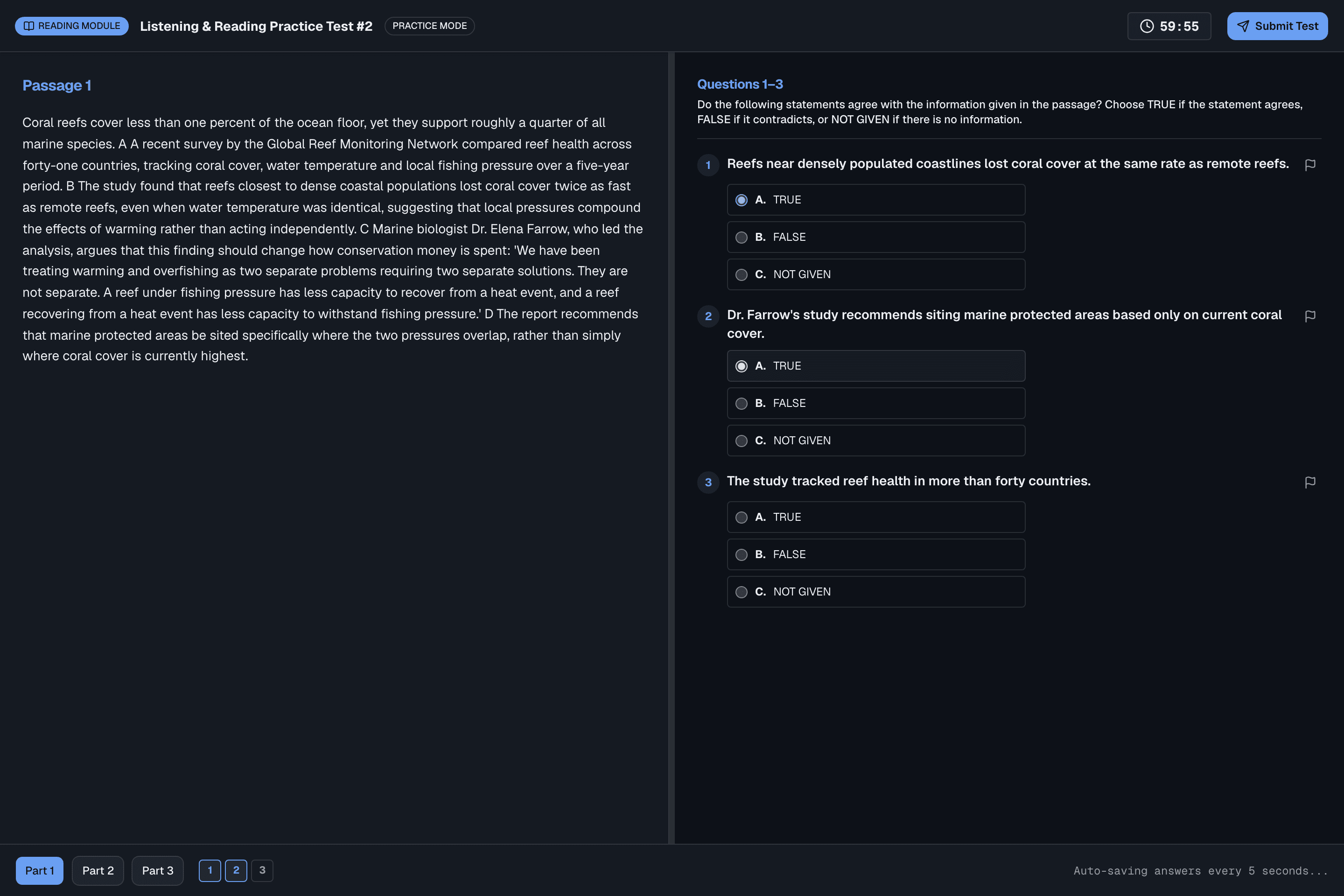
What students experience
Built directly on the same passage-and-question layout as the official computer-delivered exam.
Authored in the test builder
Passages, question groups and answer keys — all in one screen, for every question type.
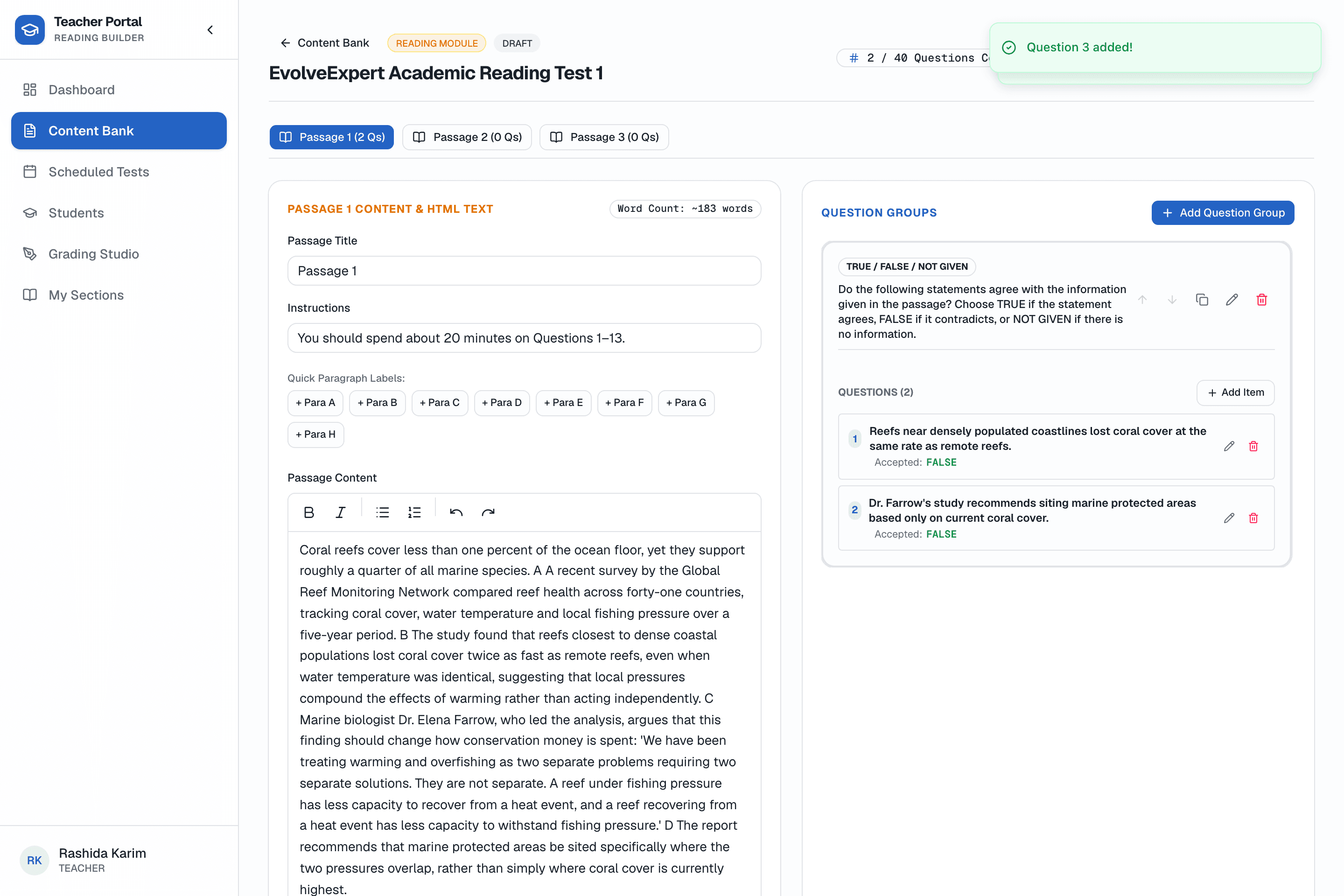
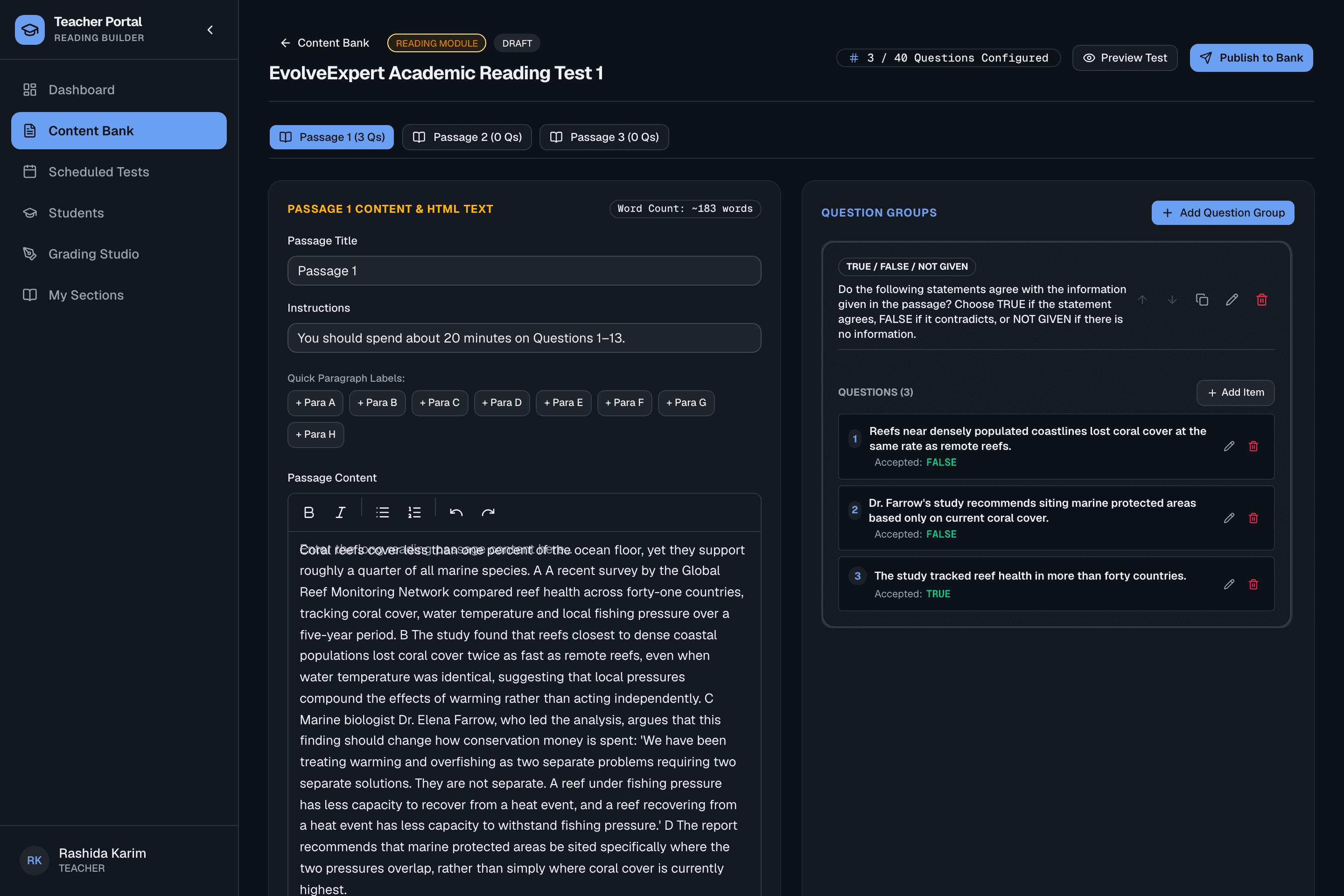
What teachers get
No manual marking for Reading — teachers author the answer key once and every attempt is scored automatically.
Supported question types
16 official IELTS Reading question types, all authored through the same test builder.
Frequently asked questions
Do students need to install anything to take the Reading test?
No. The Reading test runs in a modern browser, with the same split-screen passage-and-question layout students meet on the real computer-delivered exam.
How is Reading scored?
Automatically. Every answer is checked against the answer key your teachers author once in the test builder, the moment a student submits — no queue, no re-marking.
Can teachers reuse a passage across multiple tests?
Each passage is authored inside one test, but teachers can duplicate an existing test from the content bank as a starting point rather than writing from scratch every time.
Are all 16 official IELTS Reading question types supported?
Yes — from Multiple Choice and True/False/Not Given through to Matching Headings, Summary Completion and Diagram Label Completion, all authored through the same question-group builder.
Ready to see it running for your institute?
We'll set up your portal with your own branding, teachers and student seats.