Writing practice, graded the way the real exam is graded.
Task 1 and Task 2 in a distraction-free split view, and a dedicated grading studio that scores every essay against the same four official criteria.
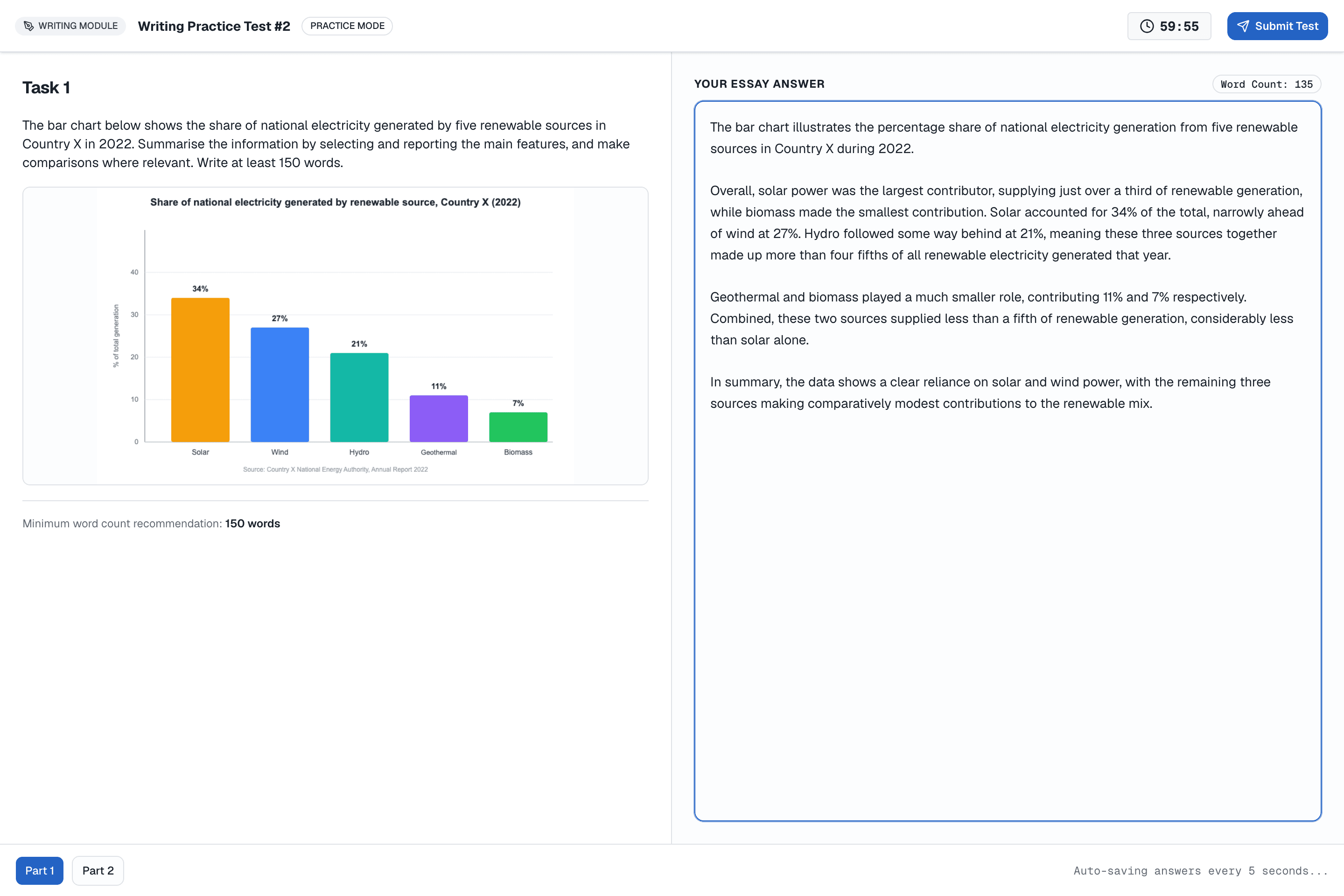
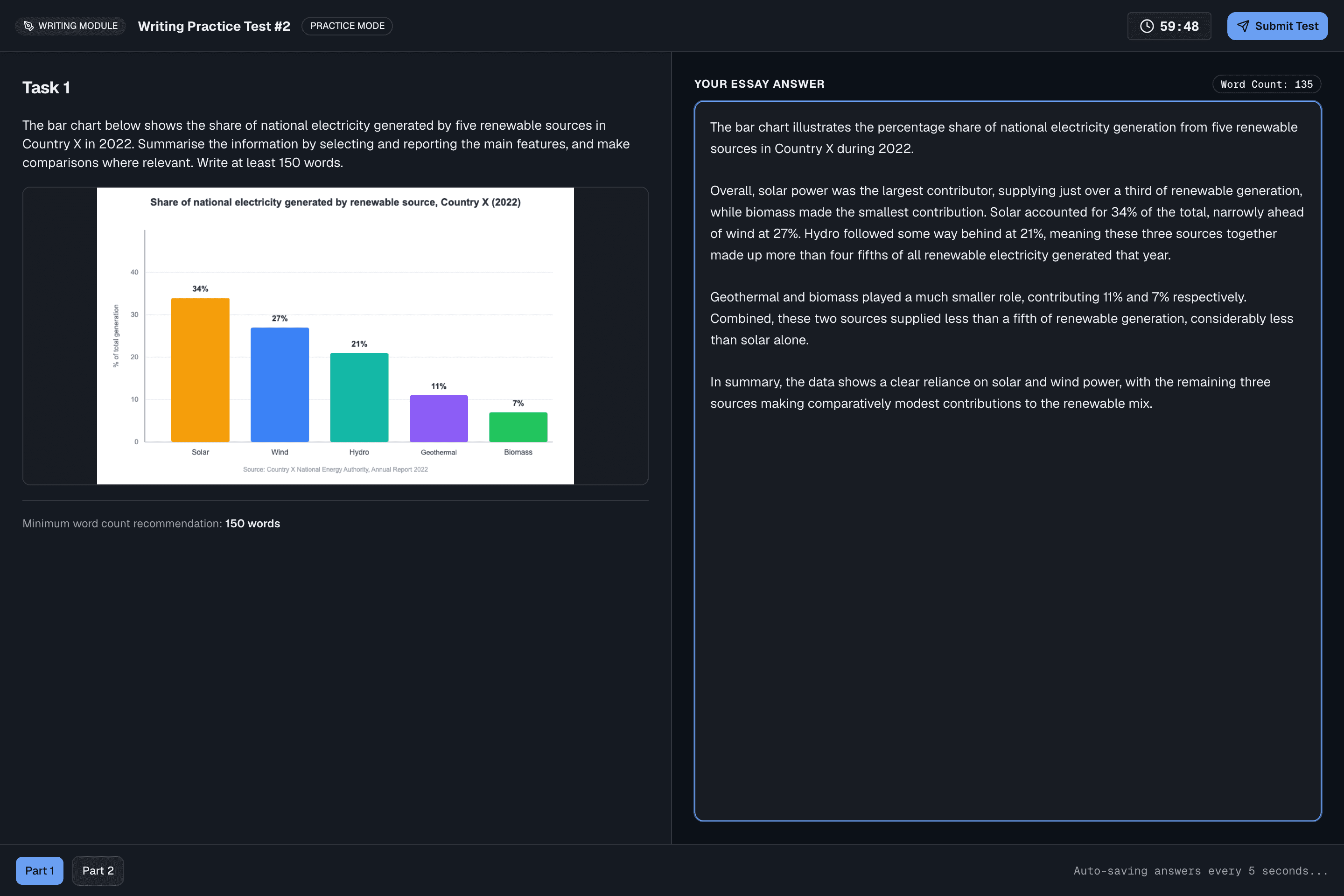
What students experience
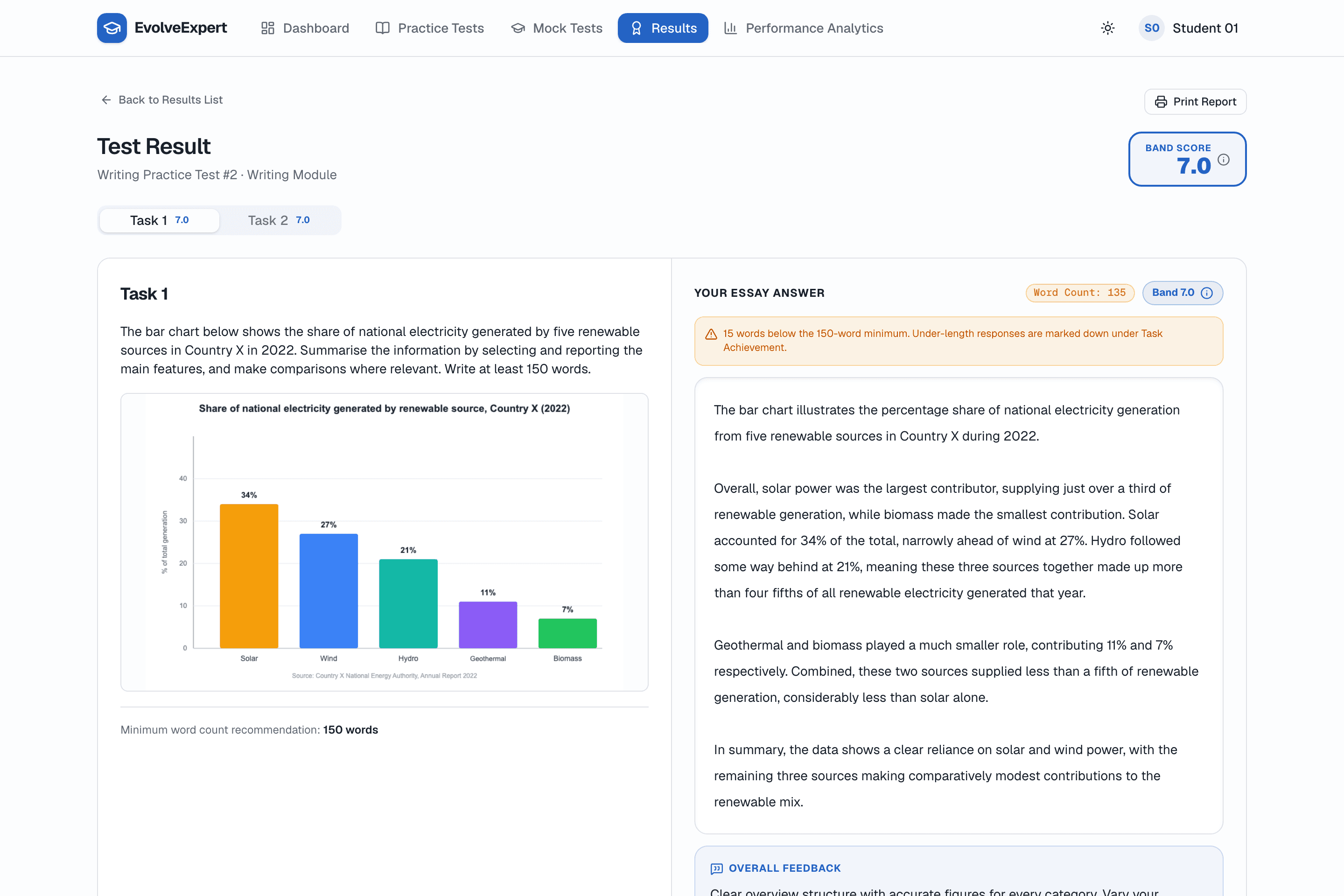
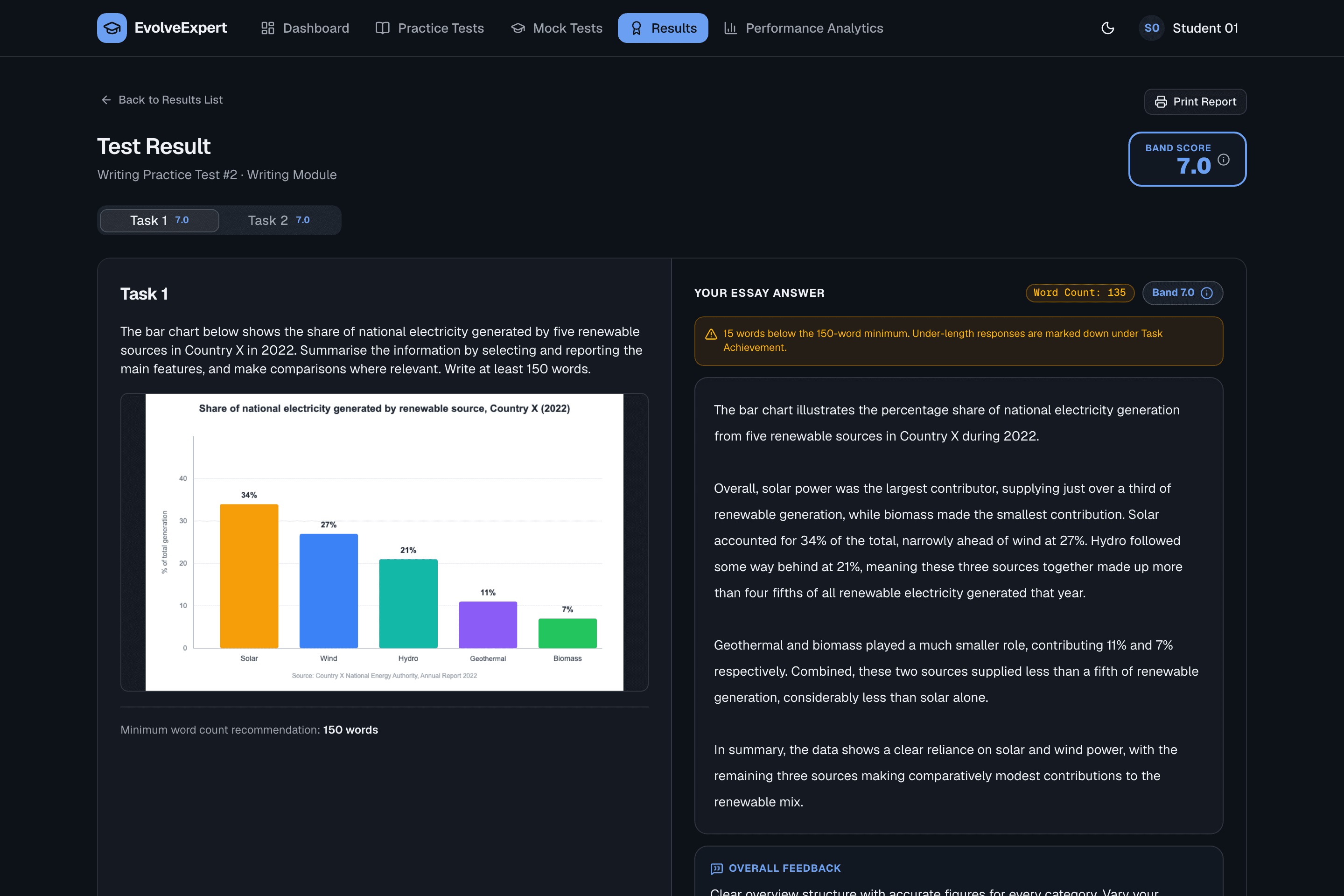
A split view — the prompt (and any chart or diagram) on one side, the answer box on the other.
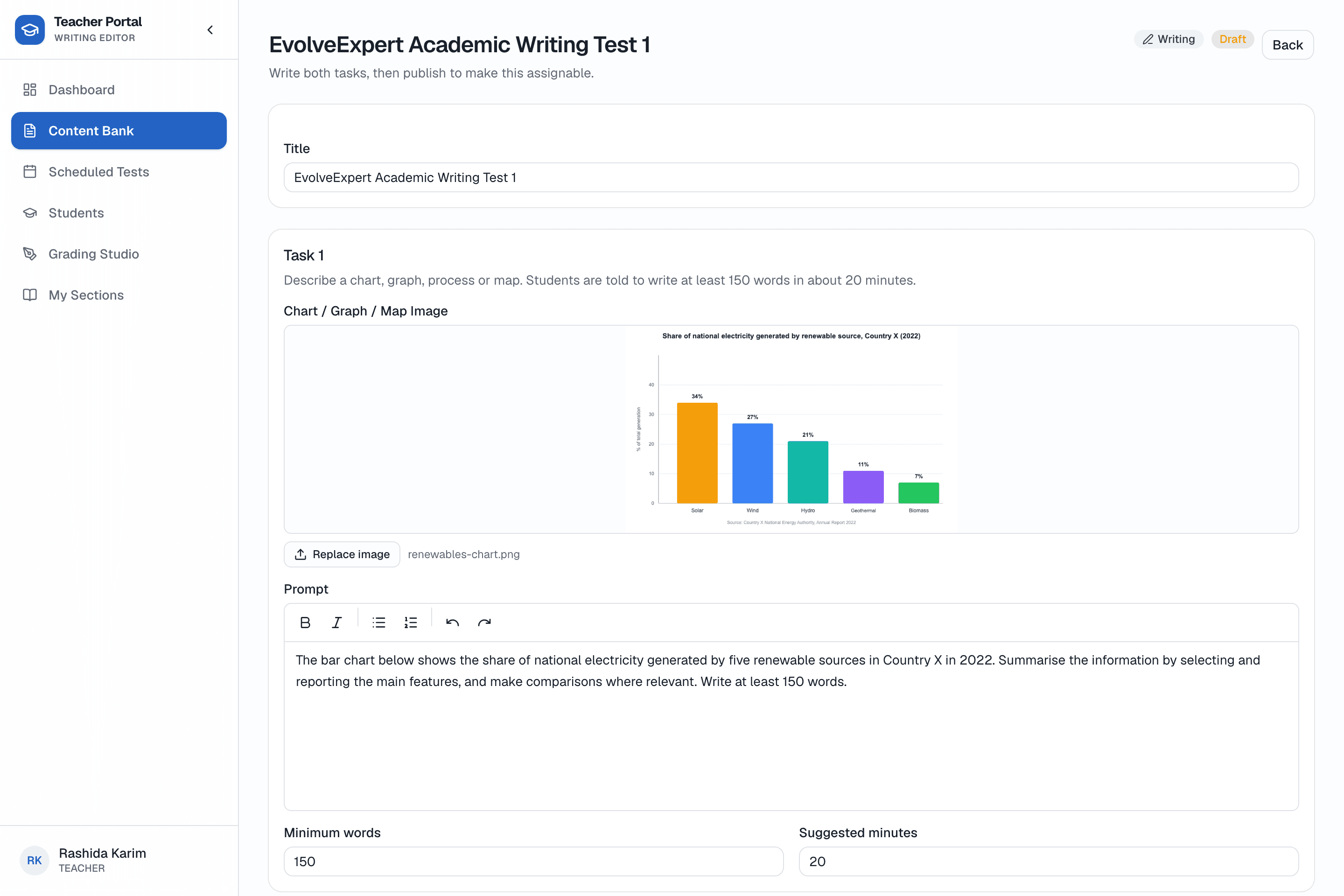
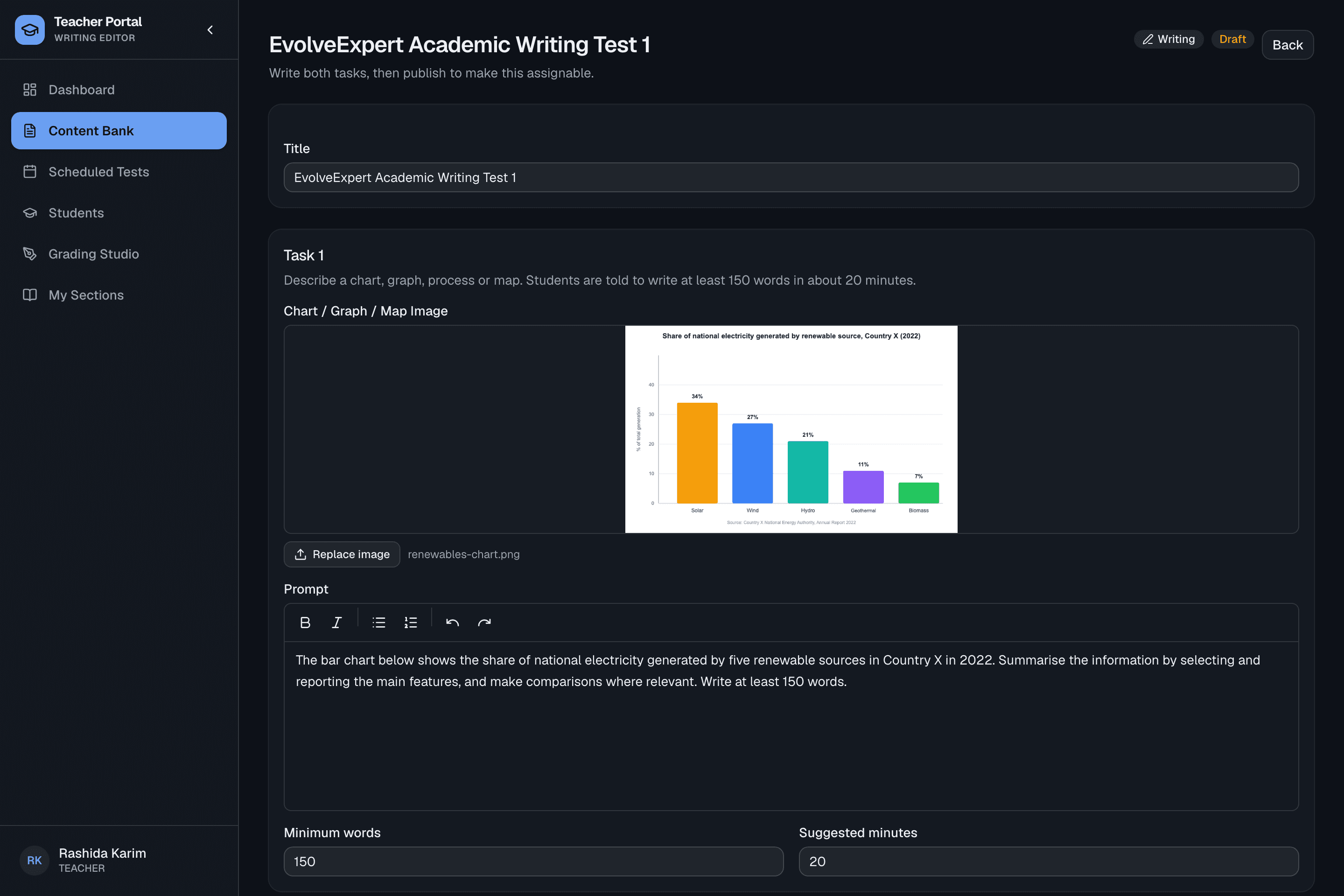
Authored in the test builder
Task 1 and Task 2 prompts, minimum word counts and suggested timing — no rubric to configure, it's the same four criteria every time.
The teacher grading studio
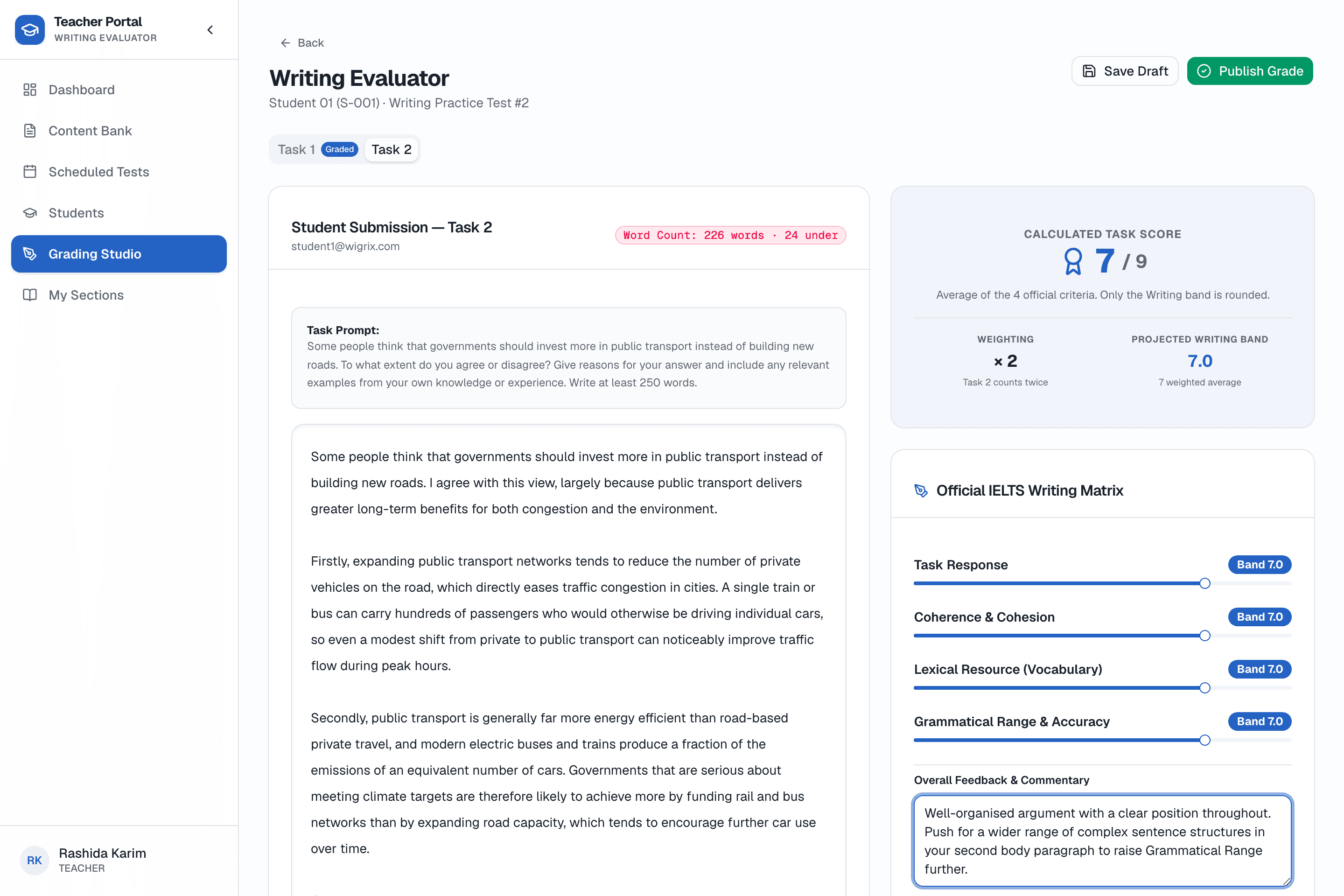
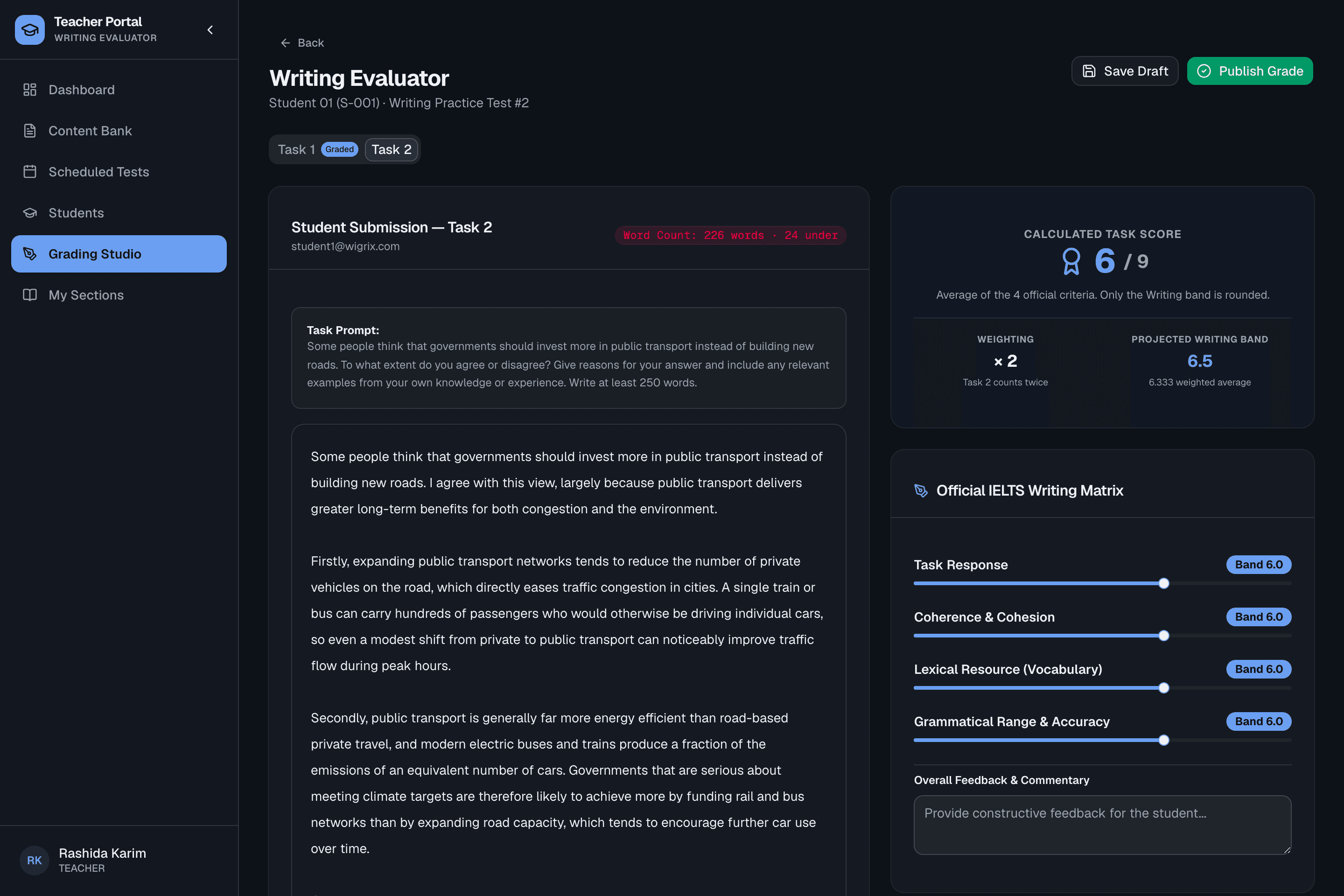
No more separate feedback documents — teachers grade inside the same view as the essay.
Google-Docs-style inline feedback
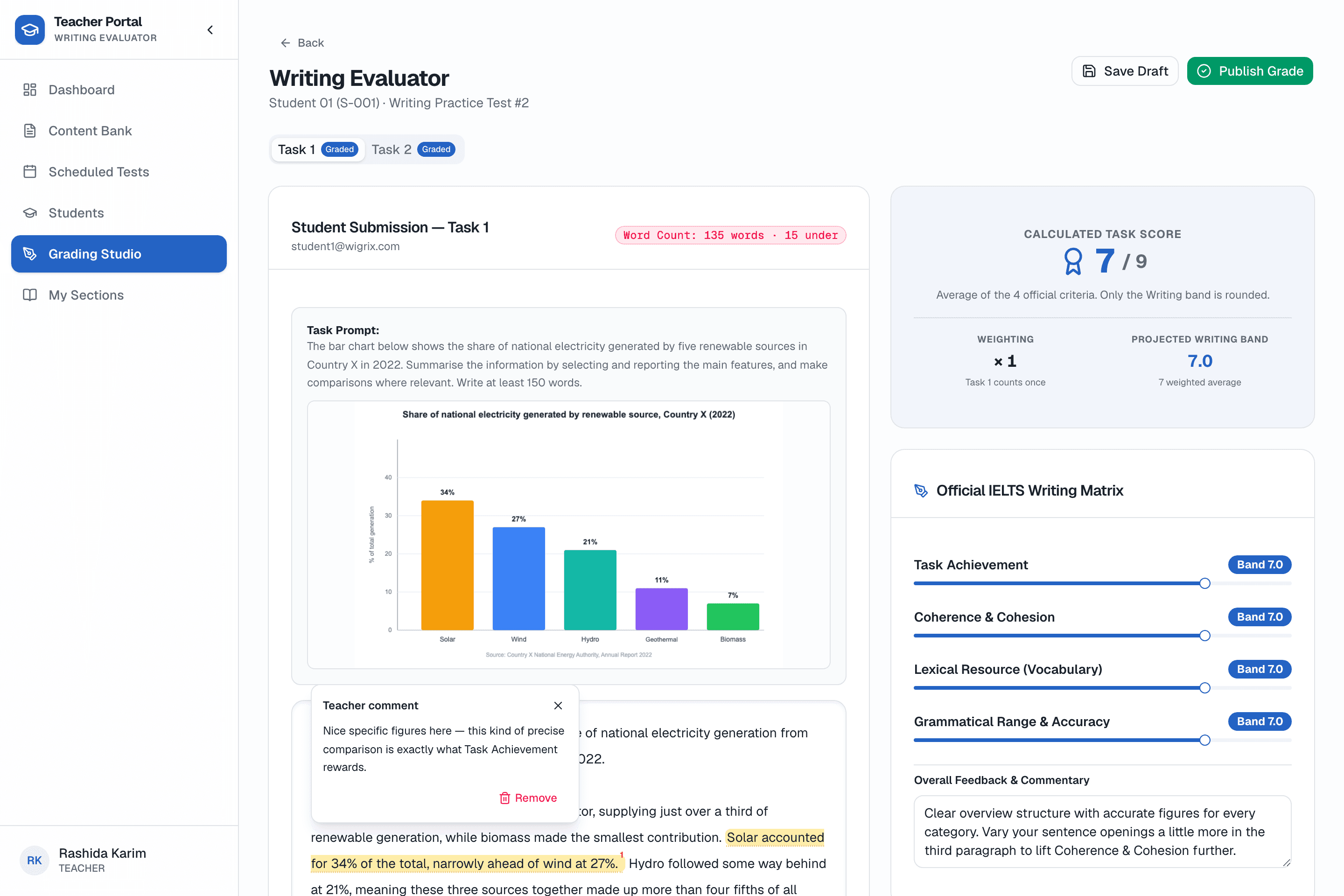
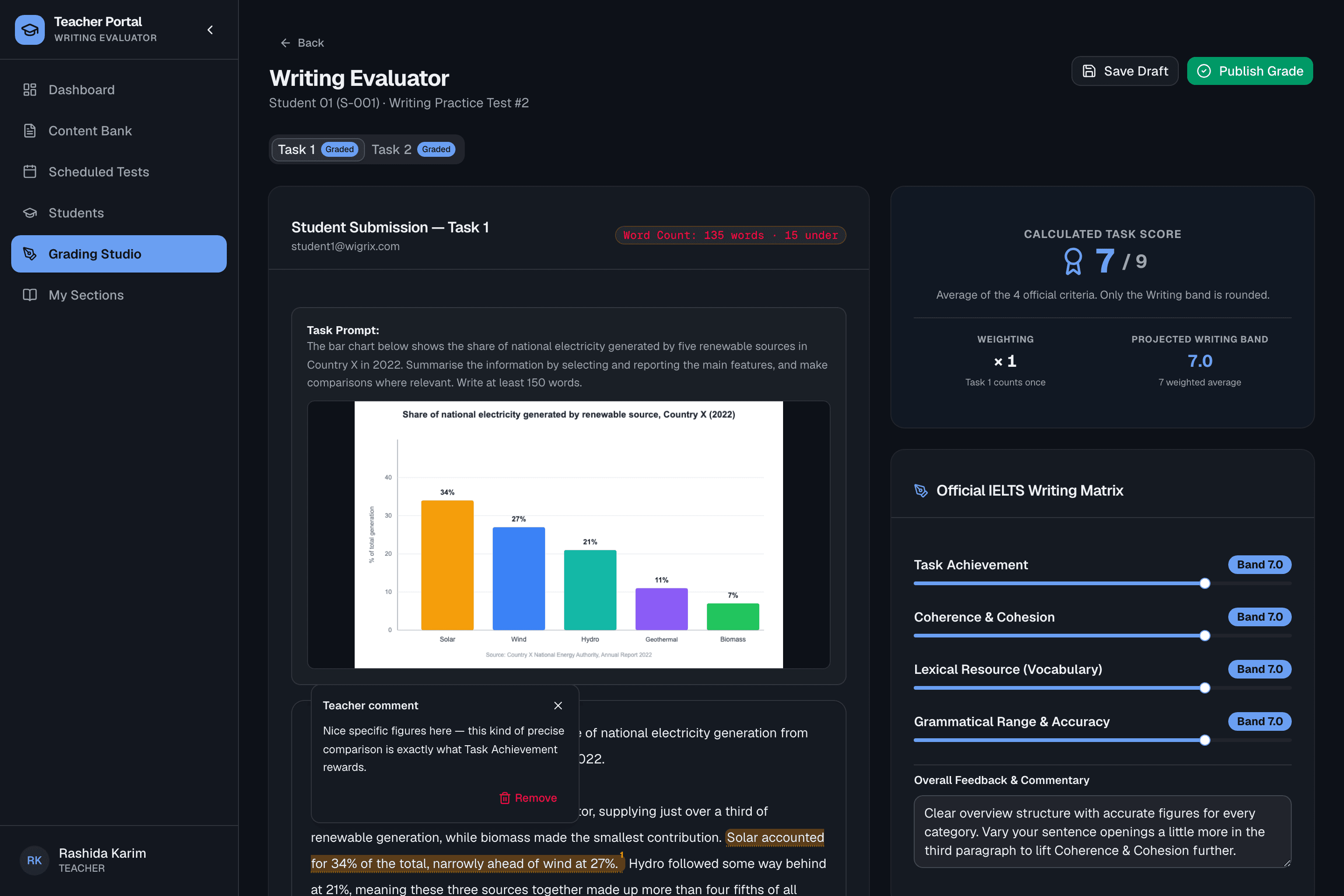
Task 1 — scored
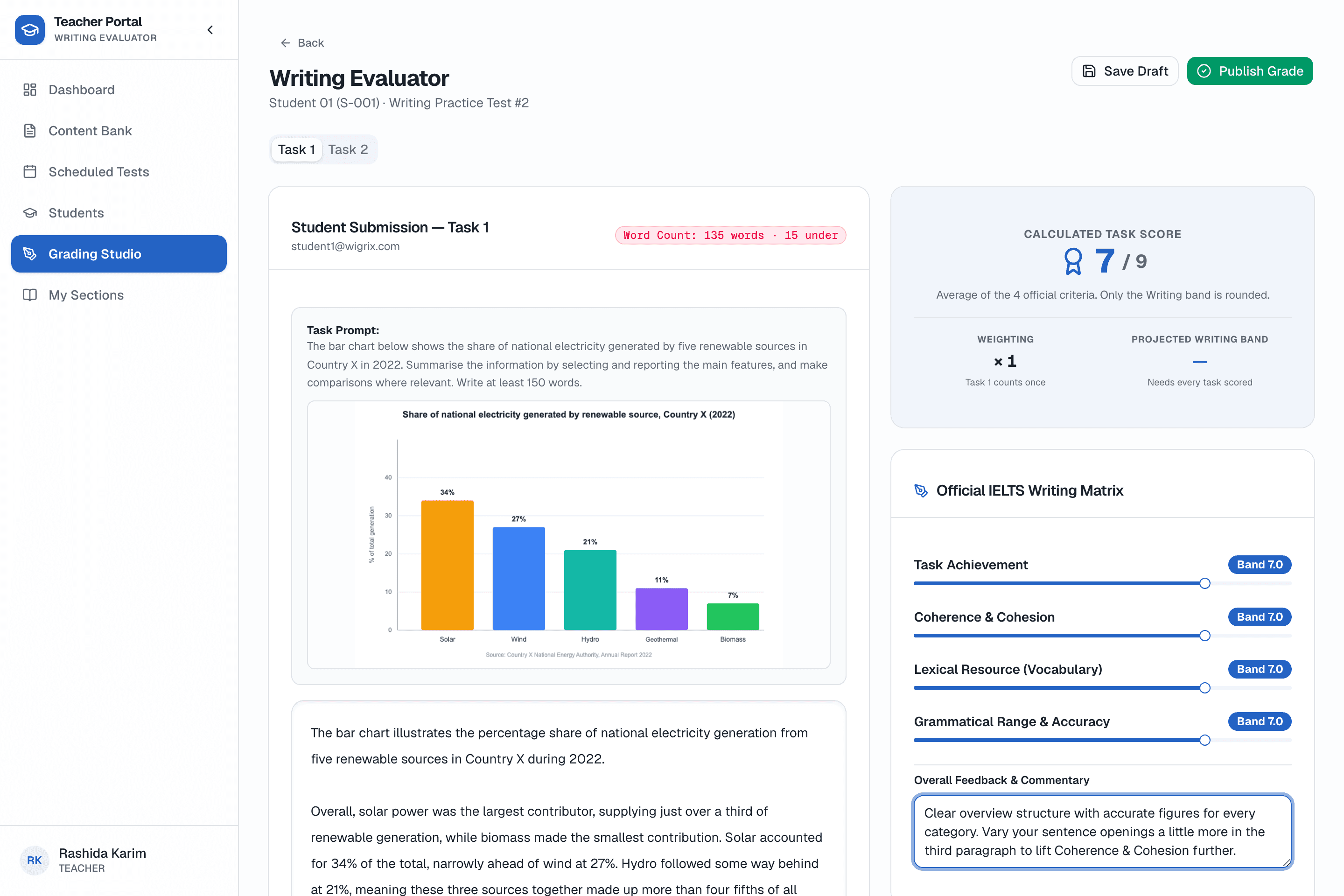
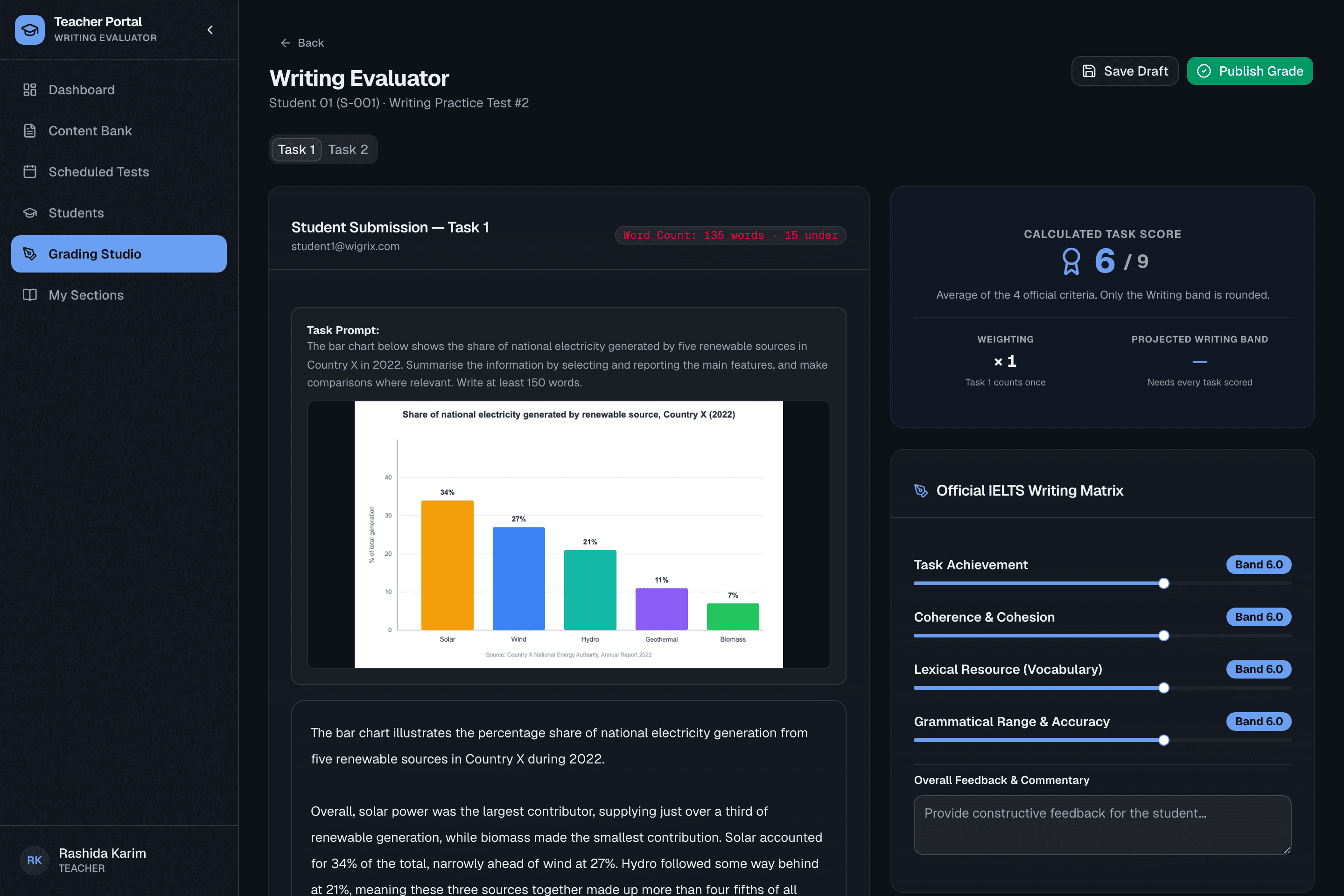
Task 2 — same rubric, weighted double
The 4 official scoring criteria
Every Writing task is scored 0–9 in 0.5 steps against the same rubric IELTS examiners use.
Released to the student instantly
Band score, task-by-task breakdown, the essay and the teacher's feedback — the moment a result is released.
Frequently asked questions
How can Writing be graded automatically if it’s not multiple choice?
It isn’t auto-graded — a teacher scores every essay in the Writing Evaluator against the four official IELTS criteria, and the four scores are averaged into a band automatically.
What if a student writes under the minimum word count?
The evaluator flags it directly next to the word count, so the teacher can factor it into the Task Achievement score the way a real examiner would.
Can teachers leave feedback anchored to specific sentences?
Yes — a teacher selects any part of the essay and attaches a comment directly to it, so feedback stays anchored to the exact words it’s about instead of living in a separate document.
When does the student see their band score?
As soon as the teacher publishes the grade and releases results for that test session — the student then sees their band, the task-by-task breakdown and the written feedback together.
Ready to see it running for your institute?
We'll set up your portal with your own branding, teachers and student seats.